
Step-by-step instructions
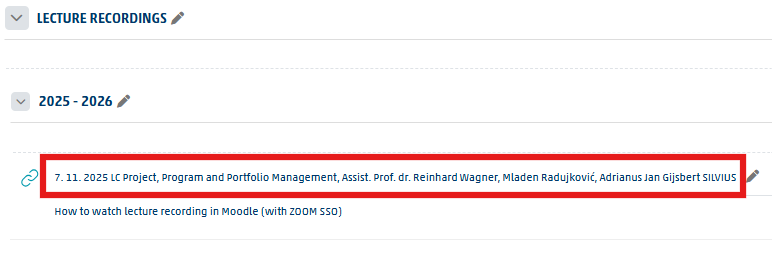
Open the recording link
Click the recording link.
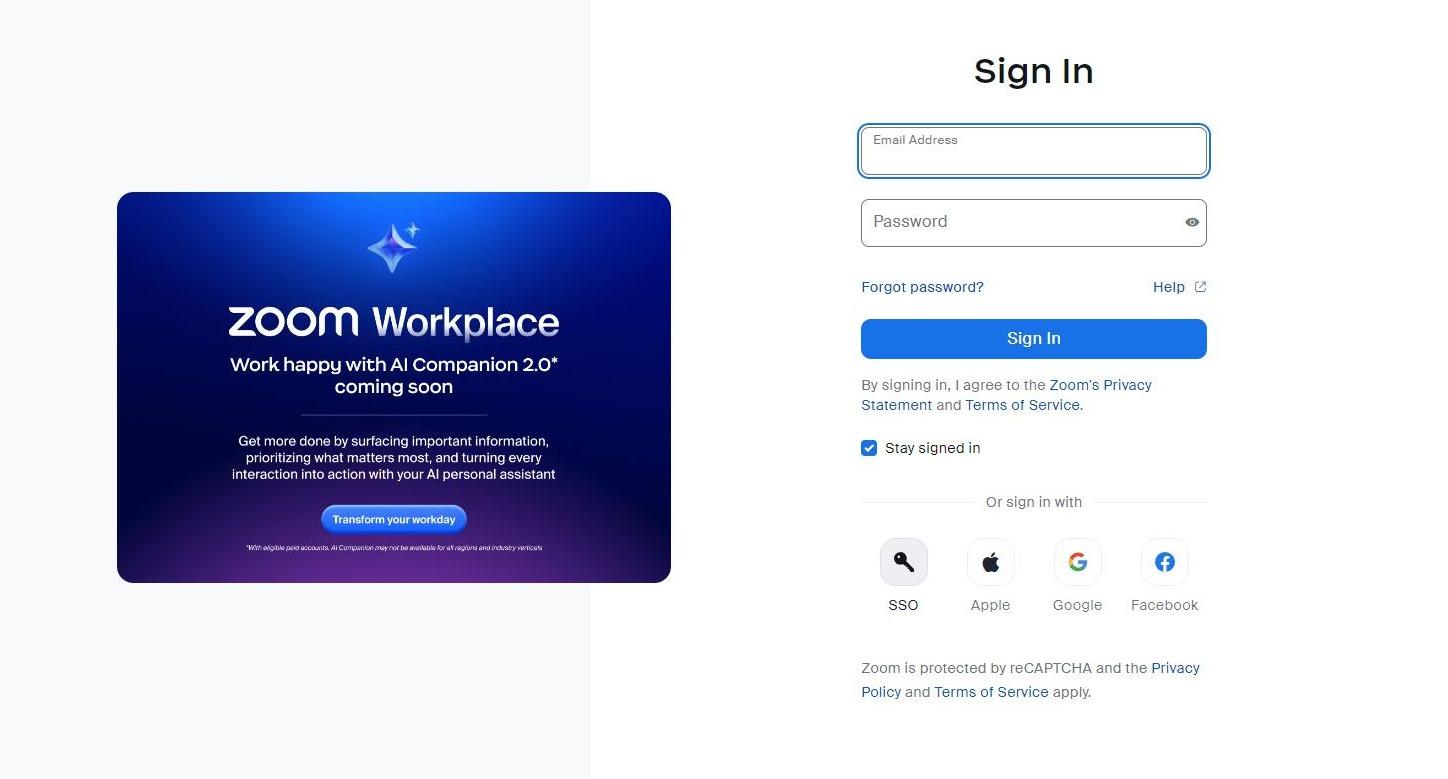
Select SSO
Click »SSO«.
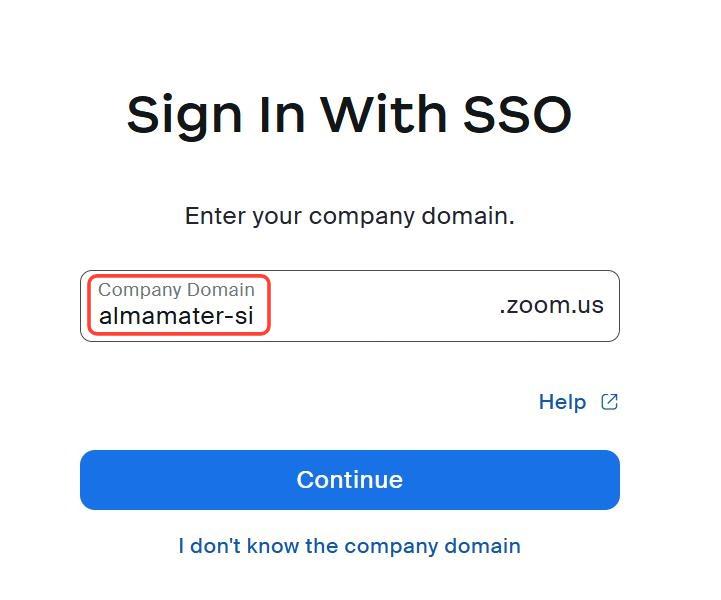
Enter the domain
Enter the domain name almamater-si (important: use a hyphen – between the words, not a period).
Important: If you use other Microsoft accounts (e.g. from other institutions or for personal use), we recommend signing in with your Alma Mater account either in incognito mode (private browsing) in your browser, or using another browser where you are not signed in to Microsoft services.
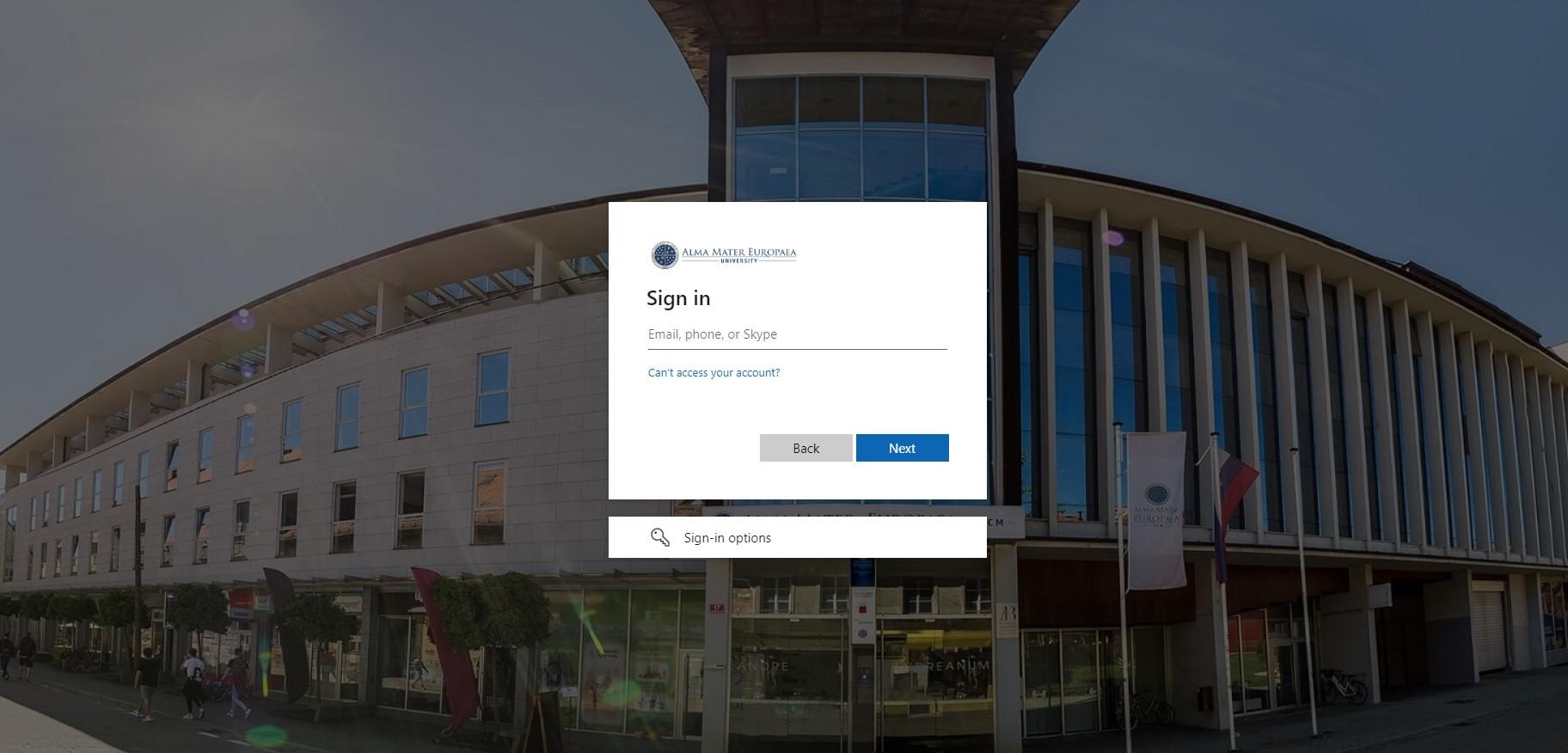
Enter your email
Enter your @almamater.si email and click »Next«.
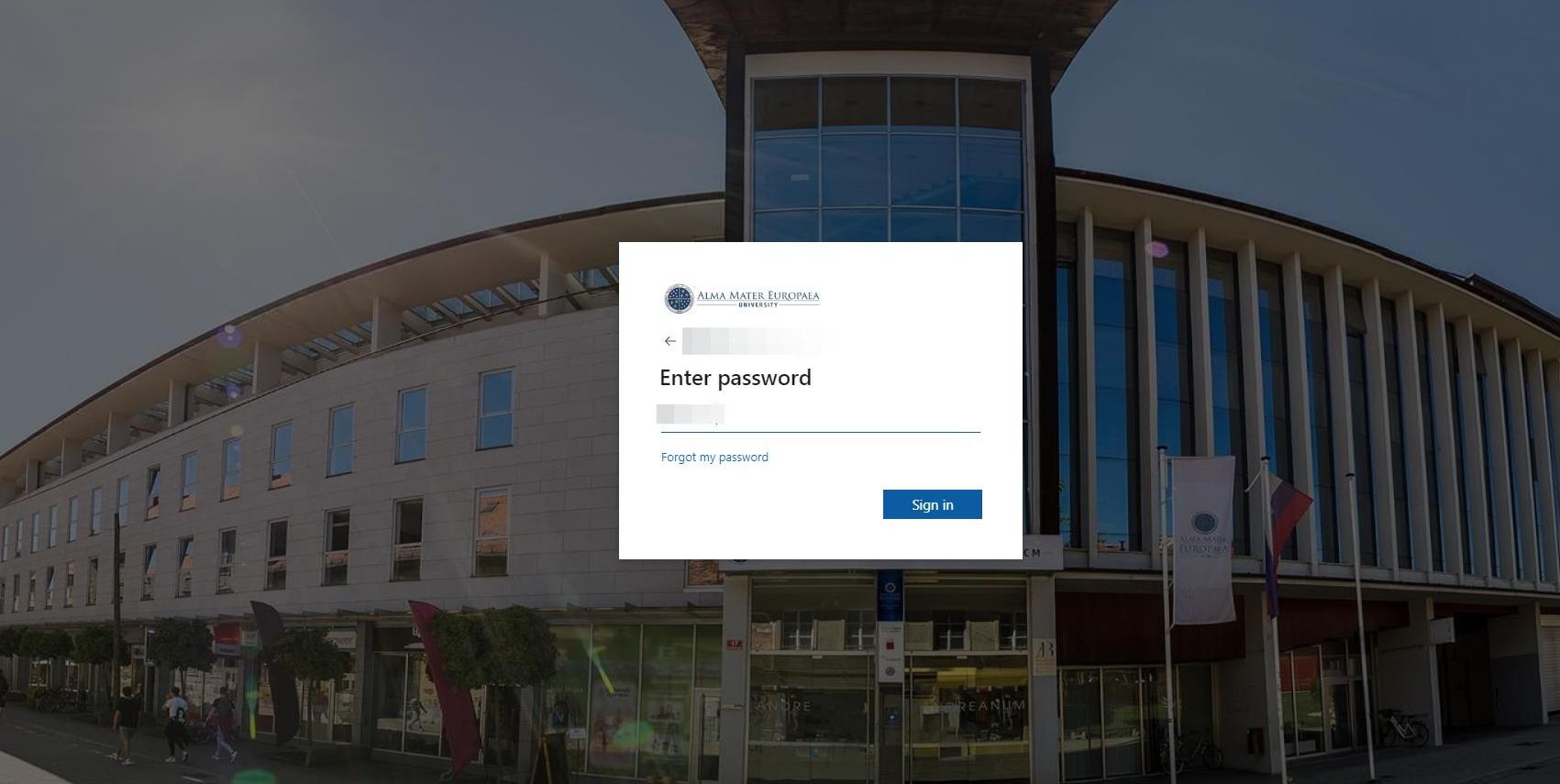
Enter your password
Enter your @almamater.si password and click »Sign in«.
Play the recording
Click the Play icon to watch the recording.

Was this article helpful?
Thanks for your feedback!