
Logging in to Moodle
- Open the website https://eucilnica.almamater.si/.
- You can log in to your profile with your Alma Mater identity (SSO) or by entering your Alma Mater e-mail address and password.
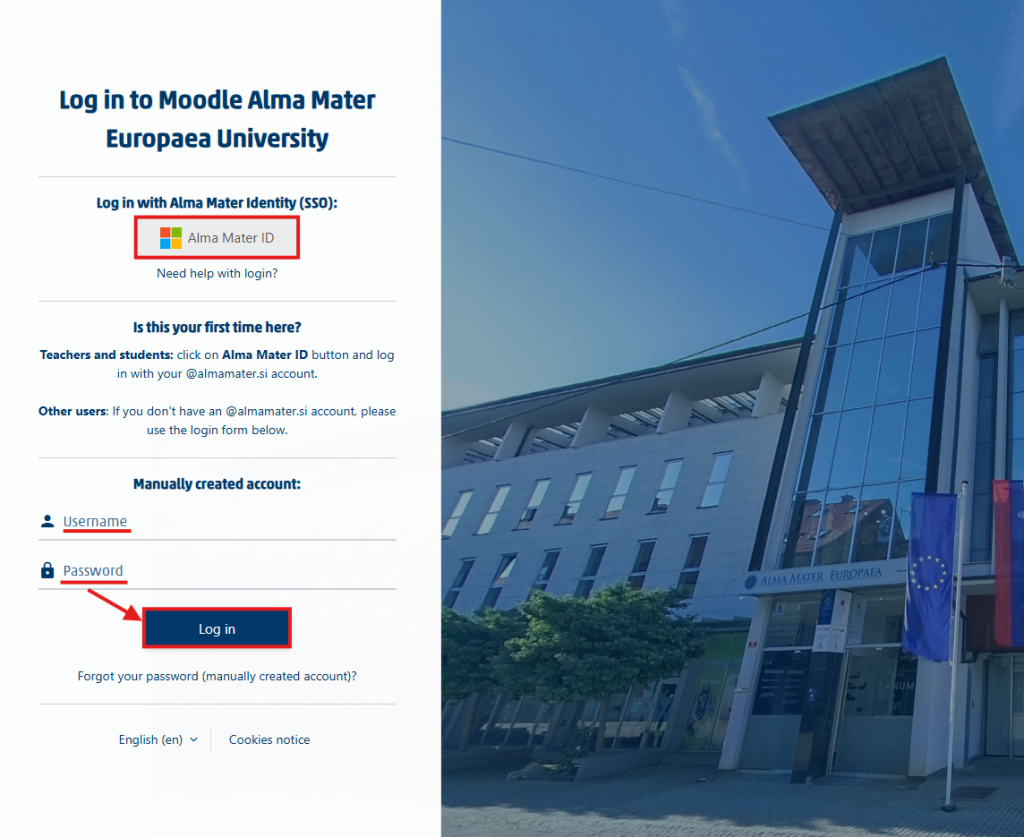
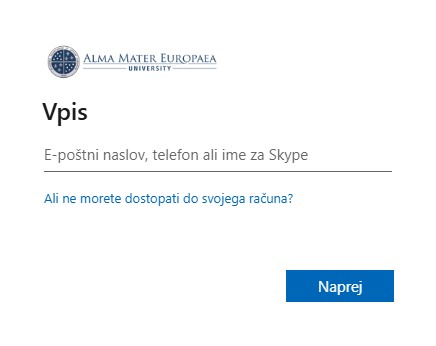
- If you log in with SSO, it will take you to a Microsoft page where you also enter your Alma Mater e-mail address and password (if you have already signed in with SSO, your browser will remember your details and will sign you in automatically the next time).
- Enter your username and password if you are not going to use SSO.
- Finally, click Log in.
Important: Your username and password are the same as for the institution’s other information services, such as VIS, Office 365, Studo/Flow and e-mail.
If you cannot log in:
- Check that you have entered your username correctly.
- Check whether Caps Lock is on.
- Check that you are using the correct password and the correct Moodle web address.
- If the problem persists, contact IT support or the Student Office.
Logging out of Moodle
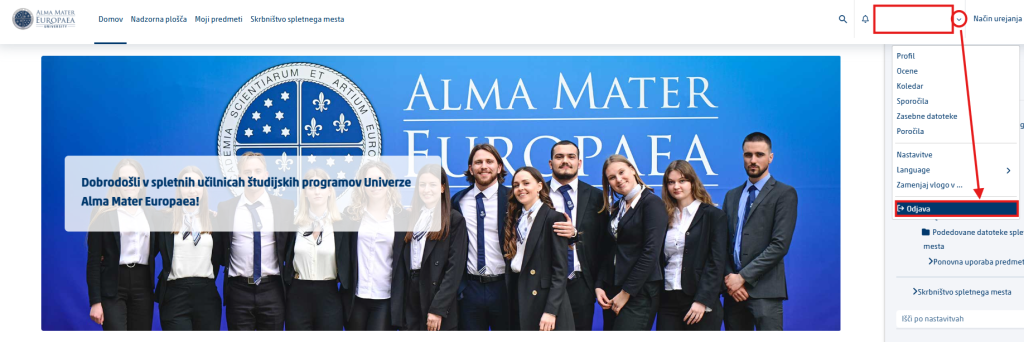
- In the top right corner, click your name, your profile picture or the down arrow.
- Select Log out.
Security: Always log out on a public or shared computer. Simply closing the browser tab is not always enough, unless it is open in an incognito window.
Was this article helpful?
Thanks for your feedback!