Home page and Dashboard
After you log in, the home page, the Dashboard or the My courses page usually opens. There you can see:
- the list of courses you are enrolled in;
- upcoming deadlines and events;
- new notifications and messages;
- a calendar of your commitments;
- a timeline with assignments and other activities, if it is enabled.
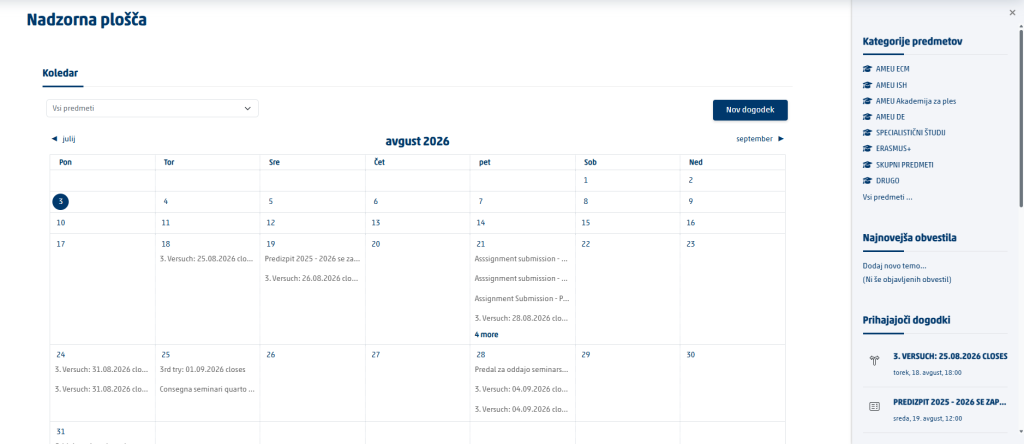
Tip: At the start of every visit, check the Dashboard, your notifications and upcoming deadlines.
Accessing your online classrooms
- In the main menu, click My courses.

- Find the course you want in the list.
- Click the course name.
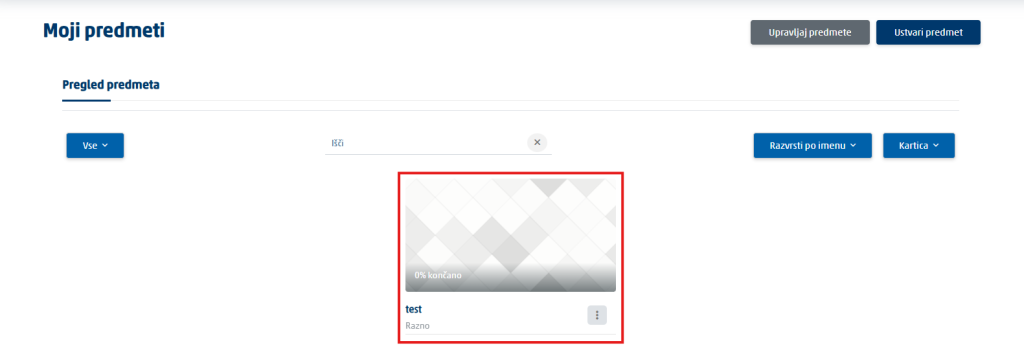
The online classroom for the course opens. Its content may be divided by weeks, topics, lectures, tutorials or chapters.
If you cannot see a course:
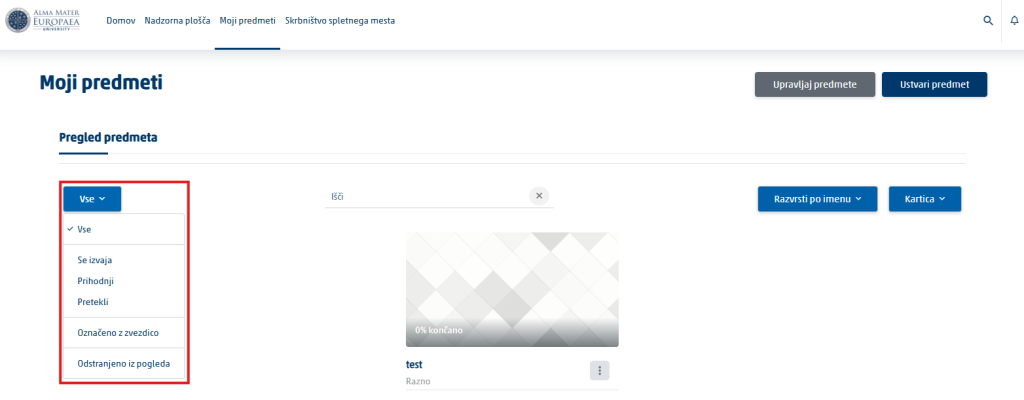
- Check the All, In progress, Future, Past or Removed from view filters.
- Check that you are logged in with the correct user account.
- The course may not be open yet, or you may not be enrolled in it yet.
- Contact the Student Office to be added to the online classroom.
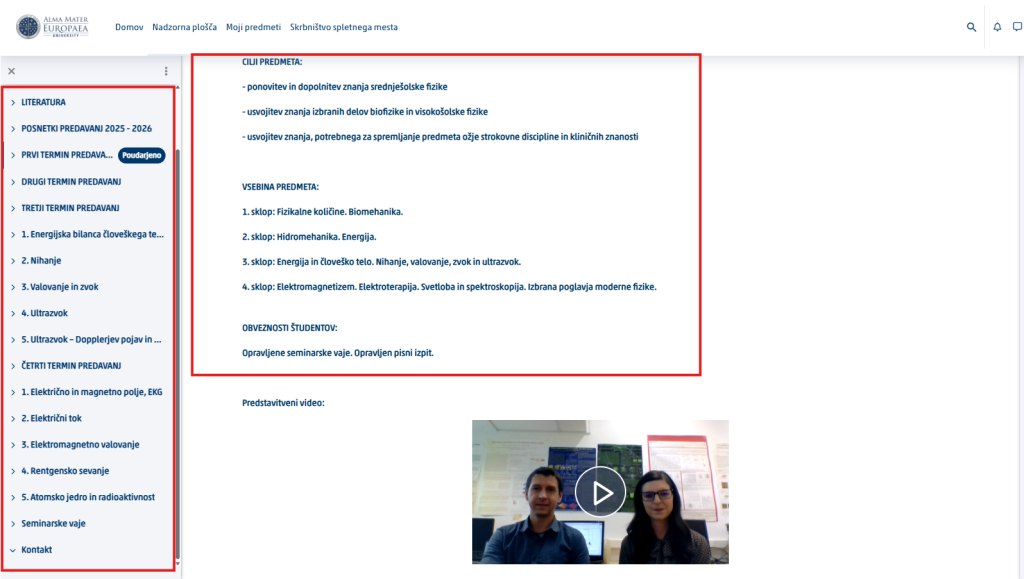
Basic structure of an online classroom
In the online classroom you can find the following content:
- the course description and learning objectives;
- the instructor’s contact details;
- the schedule of lectures and tutorials;
- the syllabus or course delivery plan;
- course materials and literature;
- announcements and forums;
- assignments and due dates;
- quizzes and other activities;
- grades and feedback.
Where to find information about a course
Important information is usually published at the top of the online classroom or in the first section. Look for sections such as:
- About the course or General information;
- Introduction or Syllabus;
- Instructions for students;
- Course requirements;
- Assessment method;
- Contacting the instructor.
Check in particular the deadlines, the requirements for completing the course, the attendance rules, the assessment method and how to communicate with the instructor.
Was this article helpful?
Thanks for your feedback!