
Step-by-step instructions
Open attendance recognition requests
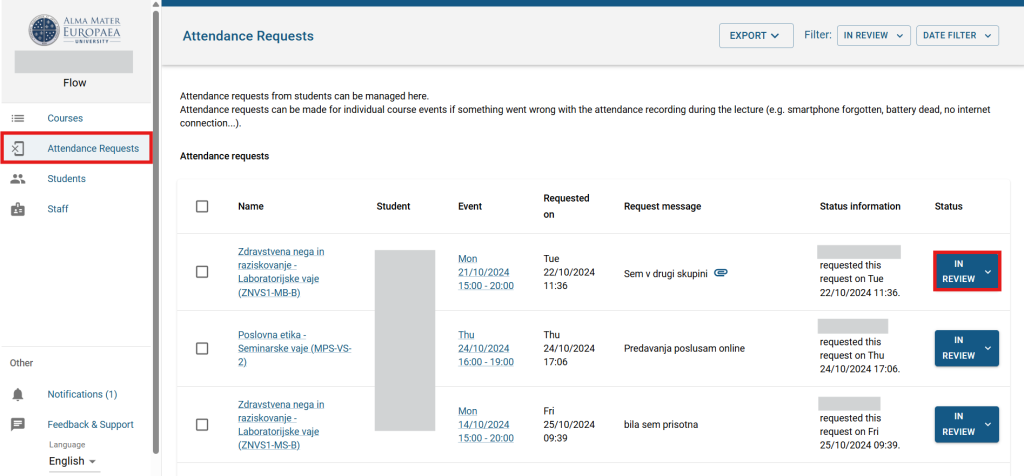
In the FLOW interface, click the “Attendance requests” menu. A list of requests for approval appears. The student must attach a scanned attendance recognition form, previously signed by the lab instructor, to the reason for recognition.
Open the response
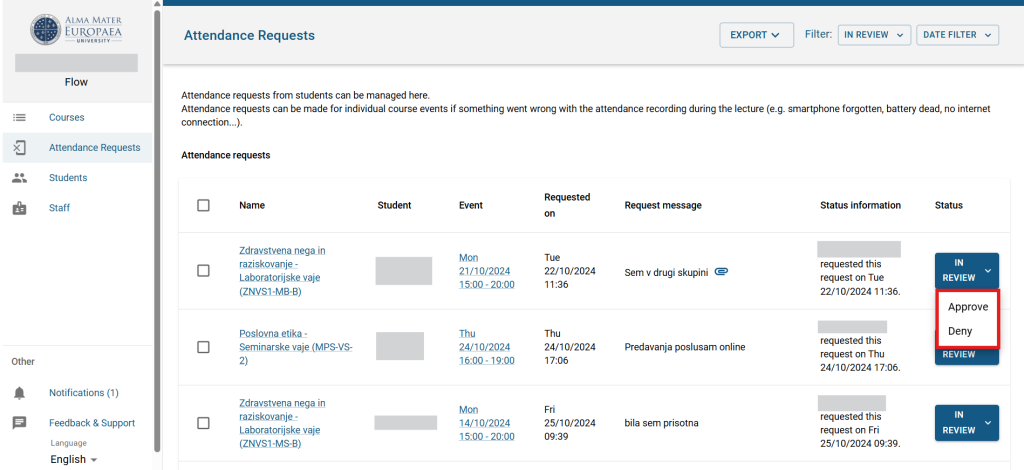
Click “Approve” or “Deny” to open the response menu.
Add a comment and decide
Write a comment on the request and approve or reject it.
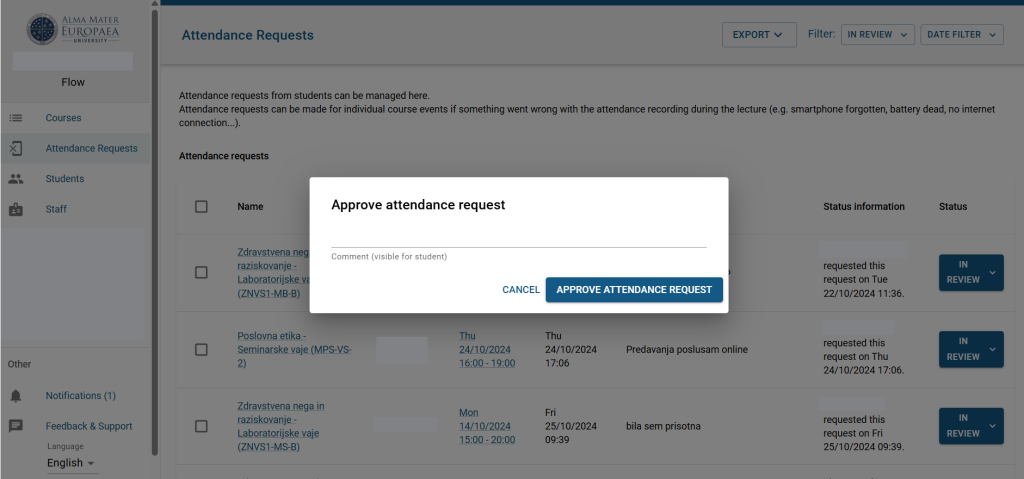
The approval or rejection is recorded and the student is also notified by email. The student can then submit a new request if needed.
Was this article helpful?
Thanks for your feedback!