
Step-by-step instructions
Open the website
Visit almamater.si.
Open VIS
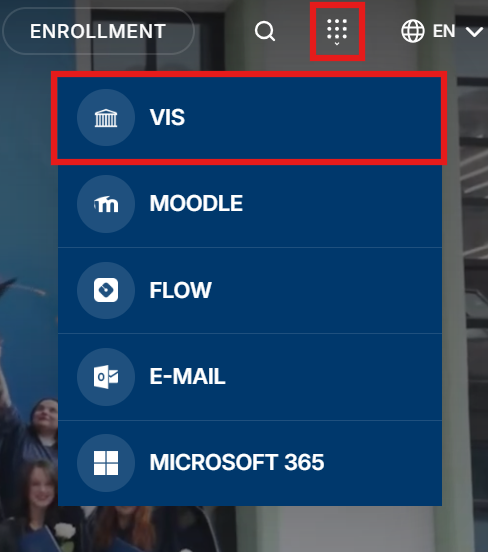
Click the apps icon (top right) and select “VIS” from the dropdown.
Sign in with your Alma Mater Identity
Sign in with your Alma Mater Identity (your @almamater.si username and password).
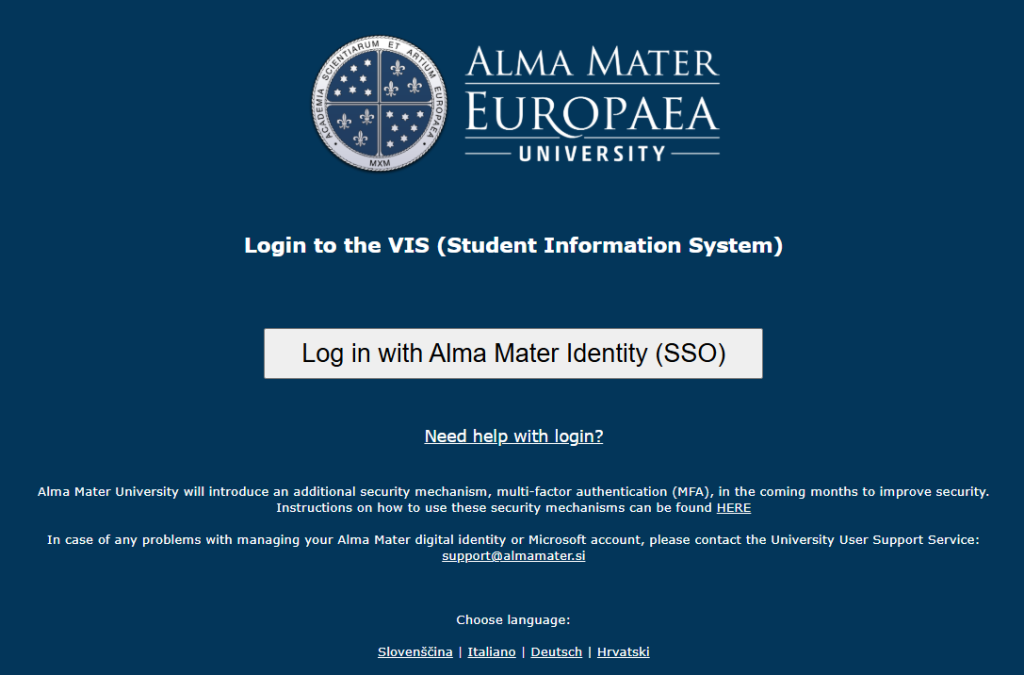
Important: If you use other Microsoft accounts (e.g. from other institutions or for personal use), we recommend signing in with your Alma Mater account either in incognito mode (private browsing) in your browser, or using another browser where you are not signed in to Microsoft services.
Open FLOW
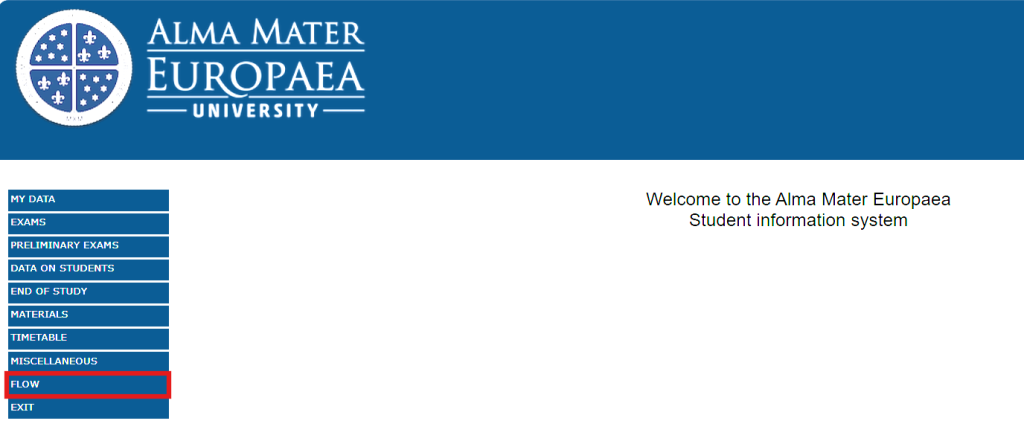
Click the “FLOW” menu.
Select an activity
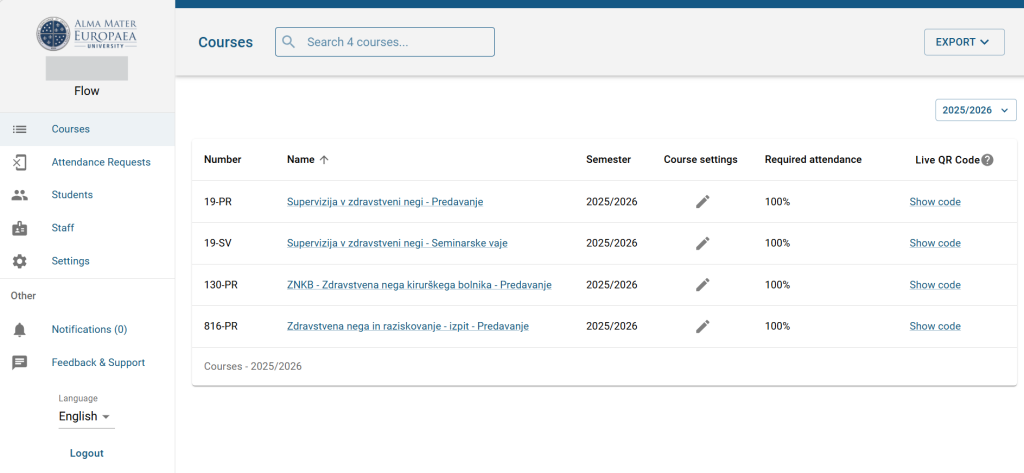
Select the desired activity.
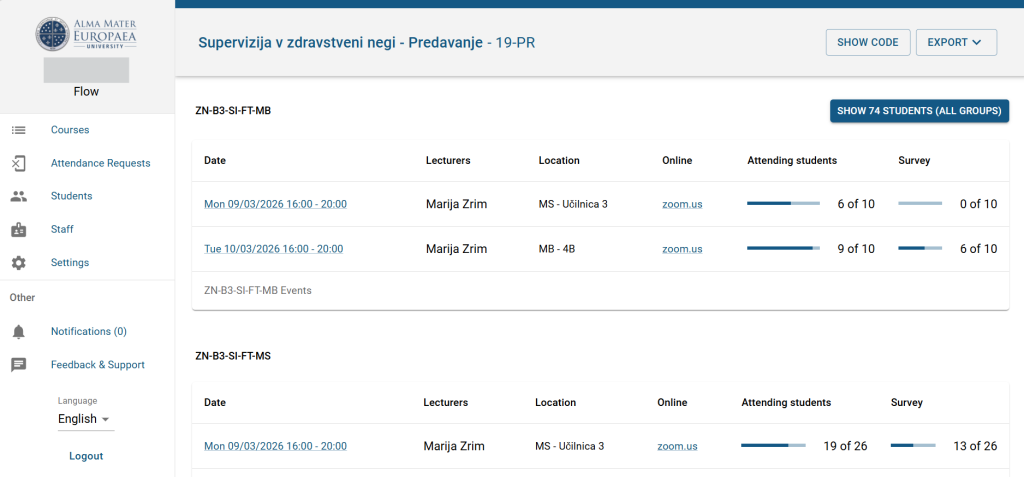
View the student list
Click an individual activity to view the list of students.
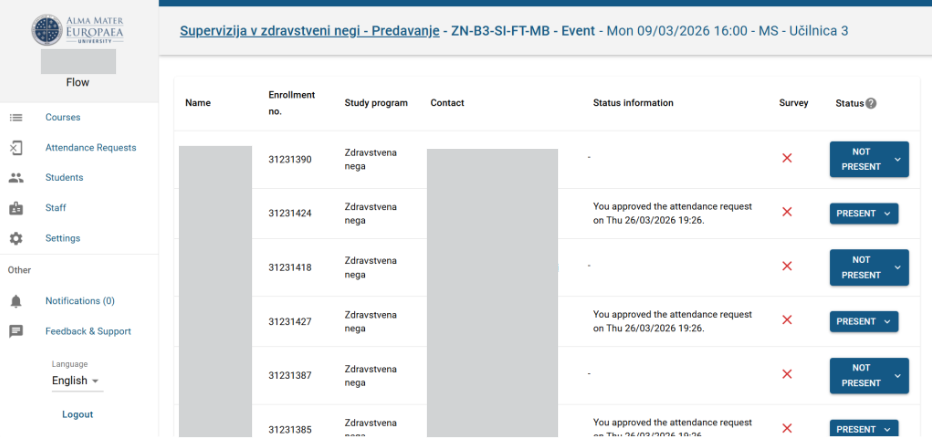
Confirm or revoke attendance
You can confirm or revoke attendance for individual students.
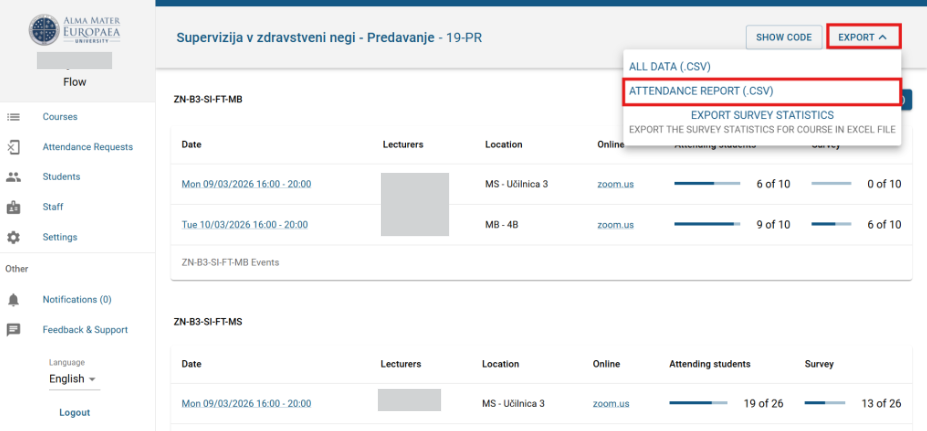
Export the data
Export the attendance data by clicking “Attendance report (.csv)”.
Was this article helpful?
Thanks for your feedback!