
Grades entered in the Turnitin viewer are passed to the Gradebook in Moodle. If you do not want students to see them before the feedback release date, hide the grade item in the Gradebook.
Hiding a grade in the Gradebook
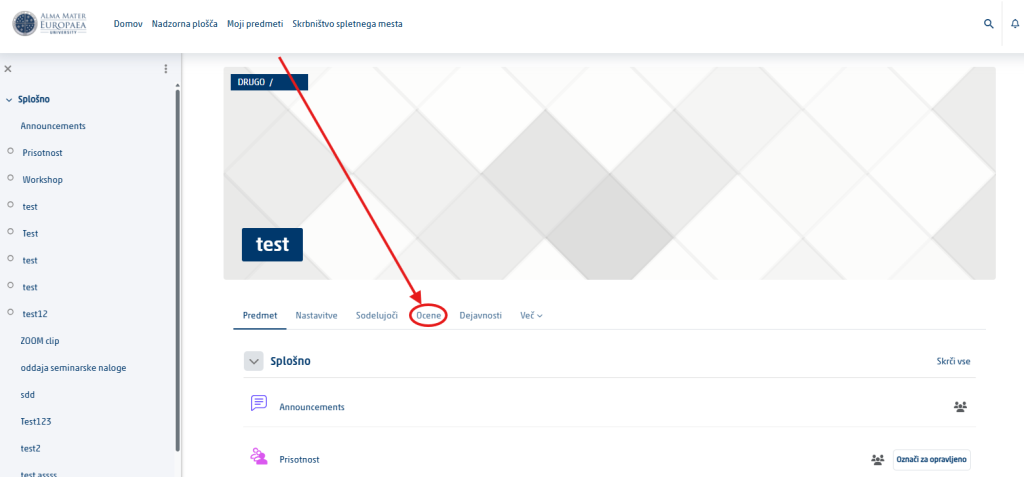
Open the Gradebook. In the course, select Grades.
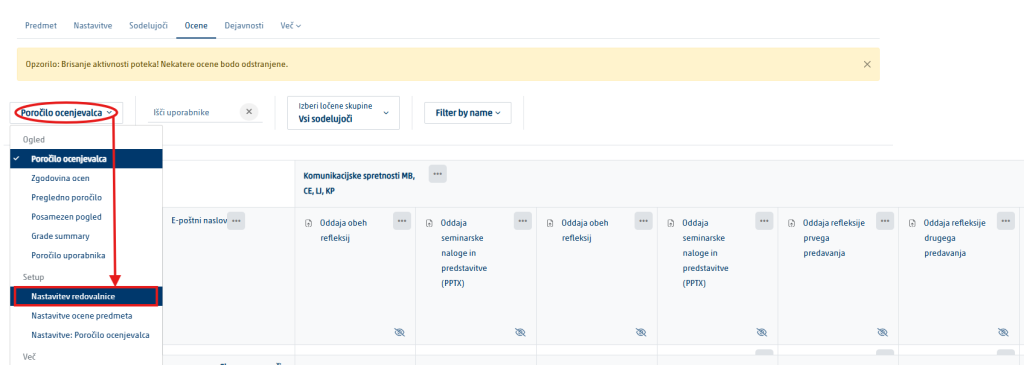
Open the gradebook setup. In the drop-down menu, select Gradebook setup.
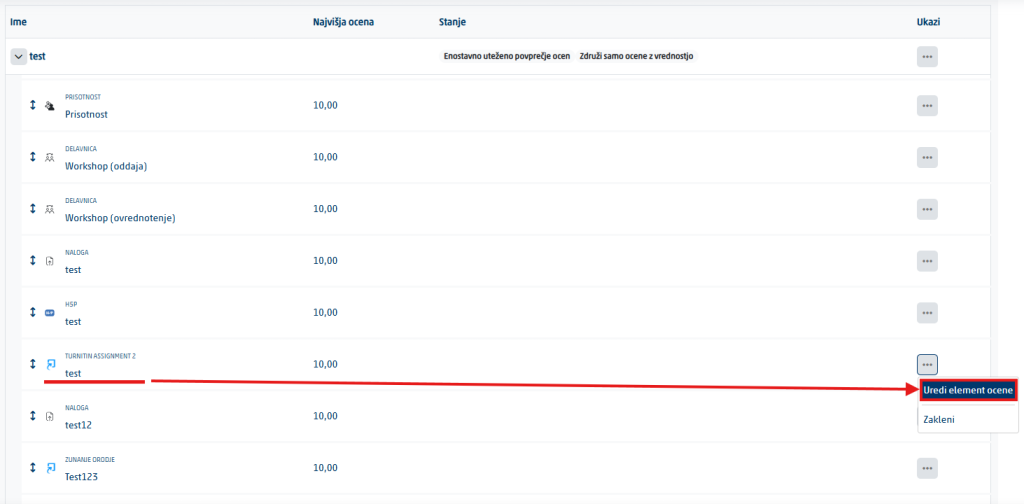
Find the Turnitin assignment. Click the three dots on the right and select Edit grade item.
Expand the settings. If needed, select Show more.
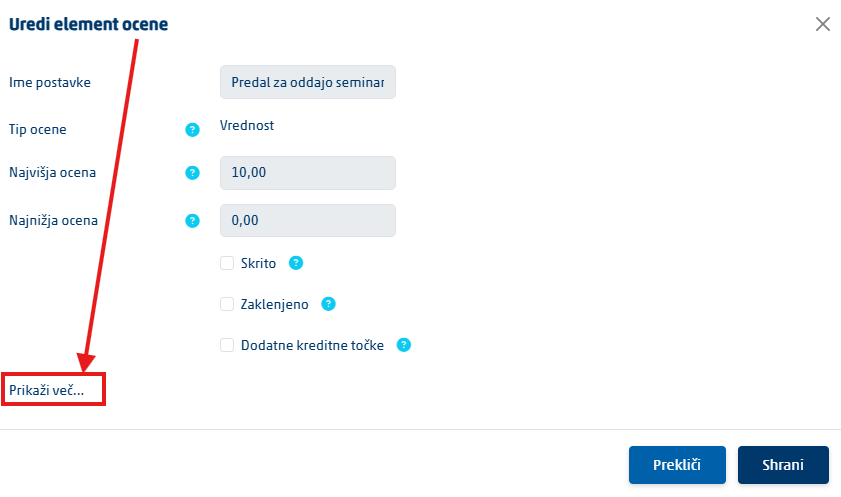
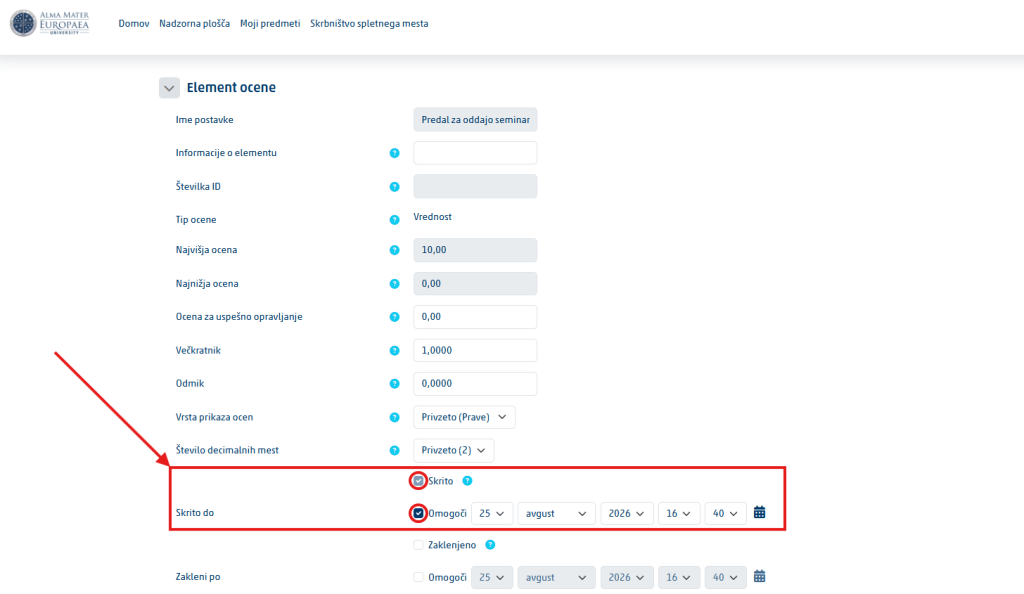
Set the visibility. Tick the Hidden checkbox to reveal the grade manually later, or Hidden until to reveal it automatically on a set date.
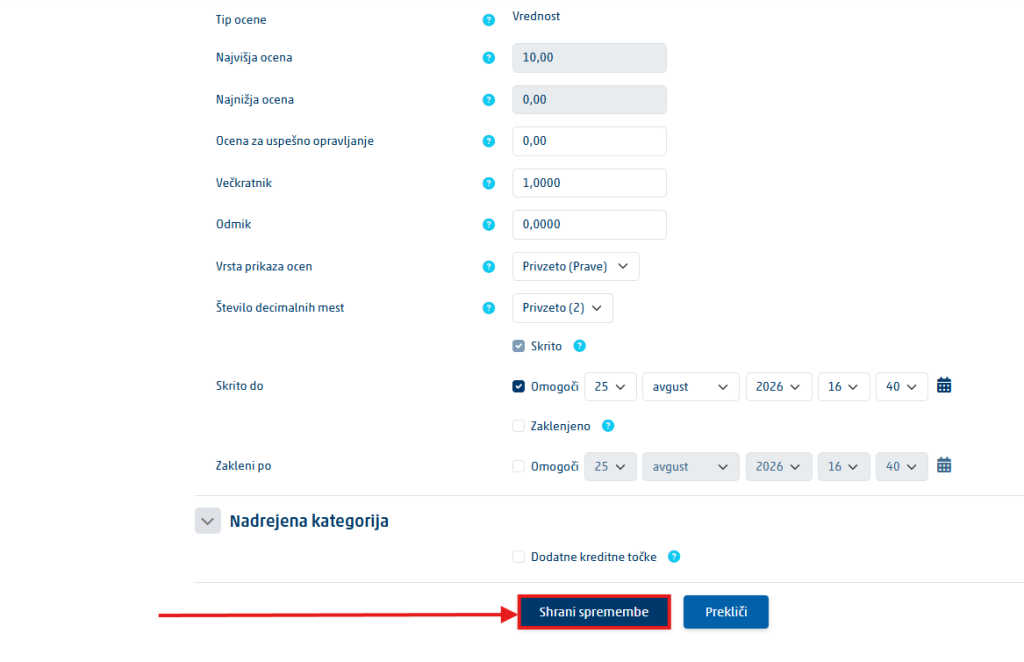
Save the changes. Click Save changes.
Why this matters: the feedback release date in Turnitin and the visibility of the grade in Moodle are two separate mechanisms. If you want them released together, check both.